I'm excited to announce the release of Graphlytic 5.2. This version brings a genuinely new way to search your graph with AI, a major upgrade to how Graphlytic stores its own data, and a big step forward in authentication and security. As always, this post covers the highlights - the full list of changes is in the Release Notes.
Ask your graph a question - AI Search
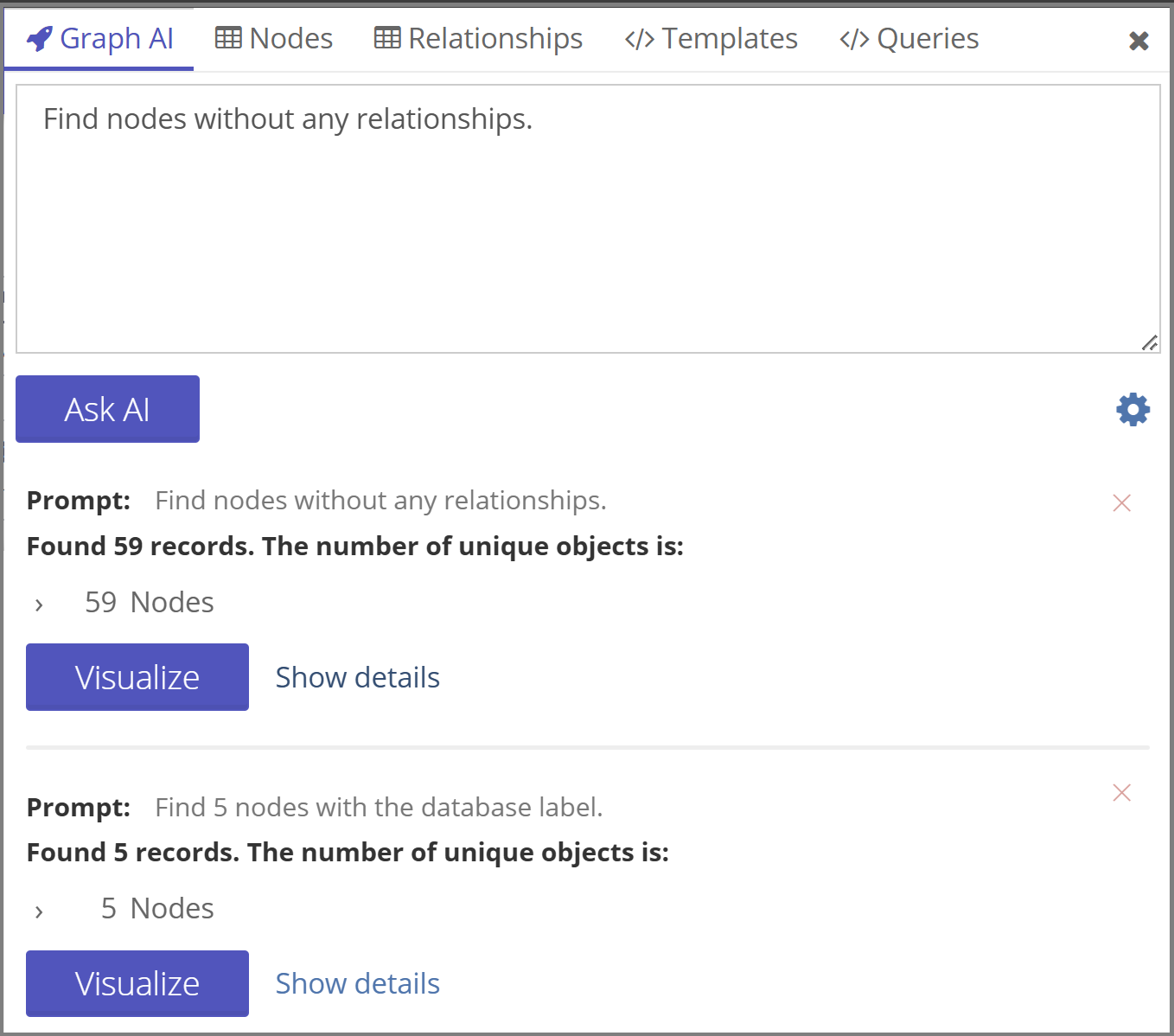
The biggest addition in 5.2 is a brand new "Graph AI" tab right in the visualization's Search Menu, letting you query your graph in plain natural language instead of Cypher, Gremlin, or SPARQL - just type what you're looking for, and it takes care of the rest.
This new AI Search runs on Graphlytic Cloud's unified Text2query API, which works across every graph database Graphlytic supports - so whether you're on Neo4j, Cosmos DB, Memgraph, or any of the others, everyone gets the same experience, powered by the same underlying AI service.
A redesigned Timeline
The Timeline, which lets you see how your graph data changes over time directly inside a visualization, has been redesigned from the ground up. It's now built around a proper chart-based control instead of the old slider, so it's much easier to read at a glance and to scrub through time precisely. It also gets its own settings modal, so you can configure exactly how the Timeline behaves for a given visualization without leaving the graph view.

PostgreSQL support
Graphlytic has used HSQLDB as its internal database since day one. With 5.2, you can now run Graphlytic on PostgreSQL instead - a big step for teams who want their Graphlytic installation to fit into an existing PostgreSQL-based infrastructure, with all the operational, backup, and scaling tooling that comes with it.
Switching is straightforward: a built-in migration tool copies your existing HSQLDB data into PostgreSQL, so there's no need to start from scratch.
Alongside this, we've also added automatic and manual backup and restore for both HSQLDB and PostgreSQL. Backups can run on a schedule with configurable retention limits, and Graphlytic is smart enough to skip creating a new backup if nothing has actually changed since the last one. Restoring is just as simple - do it directly in the app, or upload a backup file and go.
Stronger, more flexible authentication
Security and authentication got a lot of attention in this release:
- Multi-Factor Authentication (MFA) - protect logins with Email OTP or an authenticator app (TOTP). Trusted devices can be remembered for a configurable period, and users get notified by email whenever a new device signs in.
- Magic link login - a fully passwordless option. Users enter just their email or username and get a one-time login link sent straight to their inbox.
- SSO Single Logout - signing out of Graphlytic now properly ends the session on the SSO side too, not just locally.
- Cloud SSO single-click login - jump from Graphlytic Cloud straight into a connected GL instance, already signed in.
- Cloud API tokens - Graphlytic Cloud can now call a GL instance's REST API on a user's behalf using short-lived, signed JWT tokens, opening the door to secure machine-to-machine integrations.
Every JWT-based login, whether via SSO or API token, is now also captured in the audit log.
Smarter, more flexible queries
Query Templates can now run a small piece of custom JavaScript on a dynamic parameter before it's used - handy for normalizing messy input like phone numbers or addresses (say, via an external API) before it hits your query.
We've also made it possible to run several queries at once by simply separating them with semicolons, and fixed a long-standing limitation where starting a visualization from a very large result set (tens of thousands of elements) would fail outright.
New graph databases to connect to
For teams working with ontologies and RDF-style knowledge graphs, Graphlytic now offers beta support for GraphDB, including full SPARQL querying. And if your data lives in traditional SQL databases, the new PuppyGraph connector (also beta) lets you visualize it as a graph without copying a single row - PuppyGraph builds the graph layer on top of your existing SQL source. We've also updated our JanusGraph driver for compatibility with JanusGraph 1.0+, without giving up support for Cosmos DB's Gremlin API.
That's the highlight reel - there's plenty more in this release, from a redesigned Timeline in the visualization to new MongoDB and SeaTable ETL drivers. Check out the full Release Notes for everything, and as always, let us know what you think.
Michal
CEO and co-founder of Graphlytic